
OpenSSH certificate per session
Option to select an OpenSSH certificate file for each session
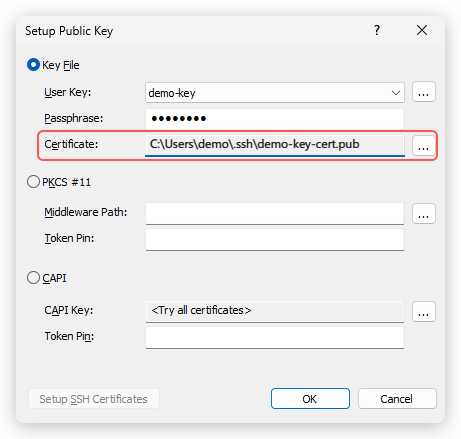
Each session can now use its own OpenSSH user certificate. In Session Properties, go to Connection > Authentication, click "Setup" next to "Public Key", and in the "Setup Public Key" dialog choose the certificate file in the "Certificate" field. If you don't select one, Xshell still uses the <key>-cert.pub file next to the user key. Certificates now also work with RSA keys, such as the SSH certificates Microsoft Entra ID issues for Azure VMs.